
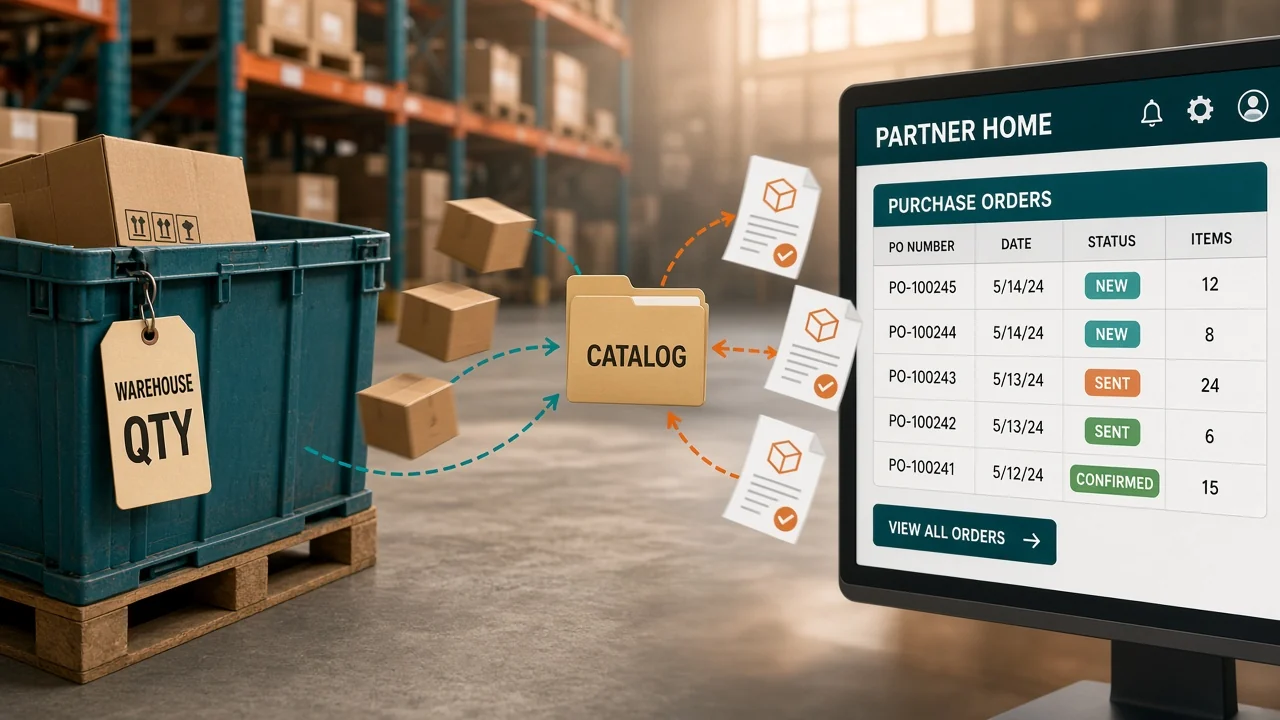
The purchase order was already accepted in Partner Home. An hour later the new connection pulled the same PO, and someone accepted it again. Two labels left the dock for one sofa.
A Wayfair supplier integration is what should make that impossible. It pulls each purchase order once, sends the quantity for the warehouse that can ship it, and sends tracking after the carton leaves.
What is a Wayfair supplier integration?
It pulls new Wayfair purchase orders into your system, sends the quantity for each warehouse, and returns tracking after you ship. Partner Home still works when a person is clicking through orders. The connection replaces that clicking once the same items sell in more than one place, or once a PO can sit until the next morning.
Do you need an API to sell on Wayfair?
No. Partner Home is where you accept a PO, print the label, and set what is in stock. Plenty of suppliers start there and never leave.
Wayfair also lets you exchange orders through an API or through EDI. Wayfair's orders guide tells you to turn both of those older paths off once the API is the one accepting orders. Leave either one on and the same PO can be packed twice.
I'd stay in Partner Home while one person can accept and ship every PO the same day. The morning a PO has waited overnight, or the same SKU is also live on Amazon, the manual screen is how the count drifts.
How do you connect a Wayfair supplier account?
You need an active supplier login. The person who builds the connection also needs API permission in Partner Home. Wayfair's application guide says to sign in with that Partner Home account. If you are already in Partner Home, the developer portal signs you in with it.
Start with a sandbox application and test there. Production is a second application. You cannot turn the sandbox keys into live keys.
The client secret is shown once, so copy it into a password store. Miss that screen and you delete the application and create another. Do not email the secret.
Wayfair recommends one application for orders and another for inventory. One set of keys for everything makes a bad inventory push harder to shut off without also stopping orders.
A Wayfair-approved vendor can run the connection. Authorize only the workflows that vendor will handle, and keep a Partner Home user of your own. When their feed goes quiet, you can still open the PO and ship it.
What should sync after you connect?
Pull open purchase orders about every 30 minutes. Wayfair's orders guide puts the fastest pace on that query at one call every 3 seconds. You do not need to go that fast. You do need the order pull to happen more often than the inventory push.
| What moves | What good looks like | What goes wrong |
|---|---|---|
| Purchase orders | New POs only, from your go-live date forward | An older PO imports and gets packed again |
| Accept | Each line you will ship, as soon as you can | The PO stays unanswered and comes back on the next pull |
| Quantity | Units for that warehouse's supplier ID, after you allocate | One company total lets Wayfair sell from a building that does not have the unit |
| Ship notice | Tracking, ship date, and package weight after the carton leaves | Wayfair still shows the order as unshipped |
| Backorder or reject | Done on the Dropship Orders page in Partner Home | The API will not backorder or reject a line |
The accept is what marks the line as answered. A later pull that asks for orders with no response will skip it. That is the step that stops a second pack.
Backorder and reject stay in Partner Home. The API does not do those yet.
How do you send the right quantity to Wayfair?
Supplier ID is the warehouse. East and West are two IDs, and the quantity is per item, per ID. Copy one company total onto both IDs and Wayfair will sell the same units from two buildings.
Wayfair's inventory guide splits the feed in two. A TRUE_UP is every active item in that warehouse, and you must send one at least every 24 hours. A DIFFERENTIAL lists only the items whose quantity changed.
Send changes about every 30 minutes in production, and not faster than your own allocation job. The sandbox accepts only the full feed. A sandbox file with more than 500 lines gets cut off, so test a short file.
Wayfair's own timing example is the one to copy. You have 10 units. At 10:00 Wayfair sells one, so their count is 9, and another order for two hits your system, so you have 8.
Allocation runs at 10:05. A feed at 10:03 that still says 10 can sell a unit you no longer have.
Sofa WF-440 is the two-warehouse example, with 24 at East and 9 at West. A purchase order for 2 is tied to the East building.
Accept it, allocate those 2, then feed East 22. West stays at 9.
| Warehouse | Before the accept | After you accept the East PO |
|---|---|---|
| East | 24 | 22 |
| West | 9 | 9 |
Send 24 again and those 2 are back on the site. If East can sell 3 more units before the next feed shows, list 19 until that feed is confirmed. The 3 is an example pace, not a number Wayfair publishes.
Every PO that comes back with only the parent supplier ID hides which building should drop. Ask Wayfair to set the account up at the child warehouse level so each PO names the building.
CastleGate stock sits in Wayfair's building, under its own supplier ID. Leave those units out of the East feed. Fold them in and you will sell a sofa that has already left your floor.
Wayfair integration in OneChannelAdmin pulls the PO and sends each warehouse quantity from the SKU you already sell on other sites. Quantity updates sit in Wayfair inventory management. Orders land in one queue through Wayfair order management. Item content Wayfair rejects is Wayfair listing management.

Should you use Partner Home, EDI, or an API?
| Your week looks like this | Use this |
|---|---|
| One person accepts and ships every PO the same day | Partner Home |
| Orders already move through EDI, and nobody is going to own an API | Stay on EDI until a tested API can replace that order flow |
| The Wayfair count has to move inside the hour, and someone can watch the connection | Your own API: a full feed at least daily, changes about every 30 minutes |
| A vendor already runs your other channels, and Wayfair has approved them | Authorize that vendor for the Wayfair workflows only |
On a Wayfair supplier integration, orders and inventory should not share one secret. They fail for different reasons, and you want to rotate one without stopping the other.
How do you test a Wayfair connection before go-live?
Use one warehouse and one SKU. The rest of the catalog waits until this passes.
- Confirm the login is an approved supplier and that user has API permission in Partner Home.
- In the sandbox, send a full inventory feed for that SKU. A partial feed will not pass there.
- Create a separate production application. Store the client secret when Wayfair shows it. Sandbox keys do not run live orders.
- On the first live order pull, set the start date to your go-live date so older POs stay out.
- Turn off EDI and Partner Home order handling for this flow before you accept anything live.
- Take one PO for the test warehouse. Accept it. Confirm only that warehouse quantity drops, and only after the accept.
- Ship that order and confirm the tracking notice reaches Wayfair. If you must backorder, do it in Partner Home.
Stop at the first miss. A catalog push on top of a failed one-PO test is how a double shipment lands on a best seller.

Questions about a Wayfair supplier connection
Do you need an API to sell on Wayfair?
No. Partner Home is enough to set stock and ship while one person can clear every purchase order the same day. Add an API or EDI connection when those orders sit overnight, or when the same items are for sale on another site.
What is a Wayfair full inventory feed?
A full feed, which Wayfair calls TRUE_UP, is every active item in that warehouse. You send it at least once every 24 hours, and it is the only feed the sandbox accepts. A partial feed, called DIFFERENTIAL, lists only items whose quantity changed. Use that in production, about every 30 minutes, and not faster than you allocate stock.
When should you cut stock for a Wayfair order?
After you accept the purchase order. Wayfair's orders guide says to lower your quantity only after that accept, and to pull orders more often than you push inventory. Cutting stock when the PO first appears, before you know you will ship it, leaves the next feed short.
Can you backorder a Wayfair order through the API?
No. Backorder and reject are done on the Dropship Orders page in Partner Home. The API accept is for lines you will ship. A line you cannot ship still needs that Partner Home step, or Wayfair keeps waiting on it.
How do you keep from shipping a Wayfair order twice?
Turn off EDI and Partner Home order handling when the API goes live. If both paths can accept the same PO, you will print two labels. On the first API pull, start at your go-live date so older orders are not imported again.
OneChannelAdmin Team writes about supplier catalogs, warehouse quantities, and orders that have to ship once.
Run inventory, orders, and marketplaces in one place
See how OneChannelAdmin connects catalog, warehouse, and multichannel selling without spreadsheet chaos.