
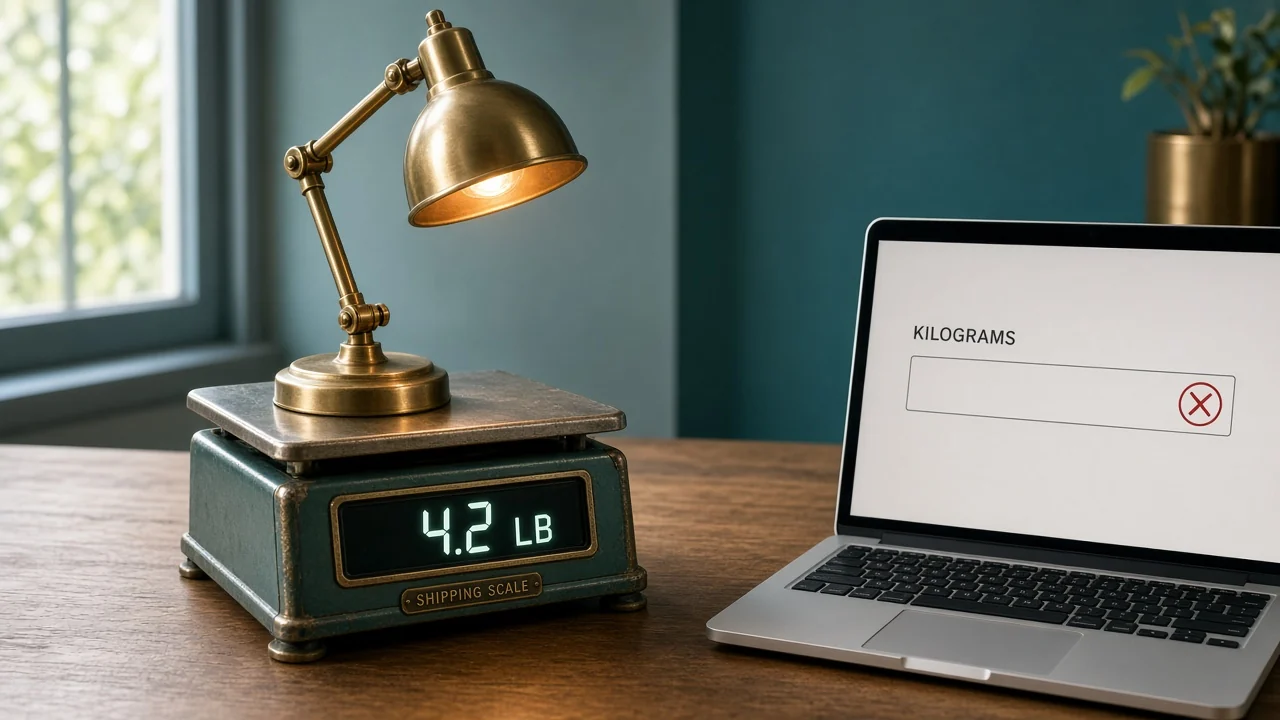
The partner file took 4.2 and wrote it into a kilogram field. The lamp gained more than twice its weight on the way out the door. Product data syndication is the mapping and the block that should have stopped that send.
Copying the spreadsheet to a second tab is not a send. It is a second place to be wrong.
What is product data syndication?
It is taking the approved product record and filling each channel's template with that channel's field names, units, and required columns. Missing required values stop the row. A value in the wrong unit stops the row. The channel does not receive a guess.
GS1 US defines a GTIN as the identification key for the trade item. That key should travel with the row so the partner is matching your lamp, not a similar one. The key is not a substitute for finish or weight. Those still have to be mapped into the columns the partner asked for.
What has to be true before a field leaves?
The record for LAMP-14, in this example, says finish brass, height 14 in, bulb E26, max watt 60, weight 4.2 lb. Those are the only facts the feed may send.
A channel template in this example requires max watt and a weight with a unit. If max watt is blank, the row waits. You do not publish "see description" into a numeric field to clear the error.
Shopify's PIM guide treats more than one version of product content as a reason the store admin runs out. Syndication is where those versions get built, from one record, without retyping the spec.
What happens when 4.2 pounds meets a kilogram field?
| Record | Channel field | What you send |
|---|---|---|
| 4.2 lb | Weight plus a unit of pounds | 4.2 and pounds |
| 4.2 lb | A number the partner defined as kilograms | Do not paste 4.2. Convert in the map, or hold the row. |
| Finish brass | A required finish column | Brass |
| Max watt empty | A required watt column | Nothing. The row stays home. |
Pasting 4.2 into a kilogram field does not "round." It states a different weight. The partner's listing, the carton label, and your warehouse can all disagree, and each of them looks internally consistent.
Fix the map once. Every later lamp that stores weight in pounds uses that same conversion. A one-off edit in the partner's portal will be overwritten the next time you send the file, and the kilogram error comes back.
Which failures do you fix on the record?
| What broke | Fix the record | Fix the map |
|---|---|---|
| Finish is blank everywhere | Yes. Nobody can invent brass. | No |
| Finish is brass, and the partner column is named color | No | Yes. Point color at finish. |
| Weight unit is wrong | No, if 4.2 lb is what you weighed | Yes |
| Title is too long for one site | No. Title can be a channel copy. | Yes, if you trim on purpose |
| GTIN missing | Yes. Get the identifier onto the item. | No |
Do not "correct" a rejected row by typing a new finish into the channel portal. The next send will replace it with the record. If the record is wrong, change the record, then send again.
That loop is product data syndication. A portal edit that the feed will undo is not.
AI product information management in OneChannelAdmin holds the lamp you are mapping. The send to each marketplace sits with multichannel commerce. Stock that moves after the listing is accepted is inventory management. A Shopify destination is the Shopify integration.
When should the row wait?
Wait when a required field is empty, when the unit is unmapped, or when the title contradicts the record. "Gold" in a channel title while finish is brass is a contradiction, not a style choice.
Also wait when two people are editing the same SKU. Send after the record is saved, not while a finish change is half typed. A feed that runs every hour will happily publish the half-typed value.
I would rather hold LAMP-14 for a day than explain a 4.2 kilogram lamp to a buyer who ordered a desk lamp.
What else can the file get wrong?
Images are a map, not a vibe. The partner asks for a URL and, in this example, a minimum size. Send the URL the record marks as the main image. An attachment someone dropped in chat is not that URL, even when the lamp in the photo looks right.
Extra columns the partner ignores can be omitted. A required column cannot be filled with a dash or a zero to clear the error. Zero watts would say the lamp cannot take a bulb. A dash may become the live value on a sloppy import.
You can send the 200 lamps that passed and hold the 3 that did not. You should not send all 203 with blanks on the bad rows. The partner's "rows accepted" count will include the blanks, and a shopper will see an empty watt field that your sheet still thinks is waiting.
After a finish correction, send that SKU again before the hourly job. Otherwise the portal shows brass and the next file still has the old gold value from a stale export. The record's save time has to be later than the file you generated.
Read the error file, not the email subject. "Feed succeeded" often means the file arrived.
Acceptance of the file is not acceptance of max watt. Open the row report and look for LAMP-14 by SKU. If the report says the row was skipped, the live page is still the previous version, which may be gold, blank, or the wrong unit.
Keep a one-line log: date, SKU, channel, and whether the row was blocked. You do not need a dashboard on day one. You do need to see that the kilogram block happened, so nobody "fixes" it by pasting 4.2 again tomorrow.
A new required column will show up without a meeting. When it does, add it to the map and hold every row that cannot fill it. Do not invent a default. A default watt of 60 copied onto a lamp whose record is empty will publish a spec you did not weigh or read.
When you map a new channel, send LAMP-14 before the rest of the catalog. One wrong unit on one lamp is a map bug. One wrong unit on 200 lamps is an afternoon of portal cleanup the next file will undo.
Write the blocked reason in the log in plain words: missing watt, or pounds copied toward kilograms. A status of "error" is not a reason you can fix on the next morning's send.
How do you syndicate one lamp?
- Confirm the record: brass, 14 in, E26, 60 watt max, 4.2 lb, and a GTIN.
- Open the channel template and list every required column.
- Map each required column to a record field. Name the unit in the map.
- Block the row if max watt is empty or if weight would be copied into the wrong unit.
- Send LAMP-14 only. Read the live attribute, not the success message.
- Change nothing in the partner portal. Change the record, or the map, and send again.
Stop on step 5 if the live weight is 4.2 in a kilogram field. The success message only means the file was received.

Questions about sending product data
Is syndication the same as storing the product?
No. Storage is the record. Syndication is the mapped send. A perfect record that never leaves your building does not fix the partner's blank finish column.
Should every channel get the same file?
Each template has its own column names and units. The facts stay the same. The shape of the file does not.
What do you do with a portal edit?
Treat it as temporary. The next send overwrites it with the record and the map. If the portal was right and the record was wrong, fix the record first.
Why did a complete-looking listing still fail?
A required column was empty, or a number landed in the wrong unit. The page can look finished while the attribute the partner validates is blank.
Does the GTIN replace the specs?
No. GS1 US describes the GTIN as the identifier for the trade item. Finish and weight still have to be in the columns that ask for them.
OneChannelAdmin Team writes about mapped feeds, blocked rows, and the weight unit a partner file will not guess.
Run inventory, orders, and marketplaces in one place
See how OneChannelAdmin connects catalog, warehouse, and multichannel selling without spreadsheet chaos.