
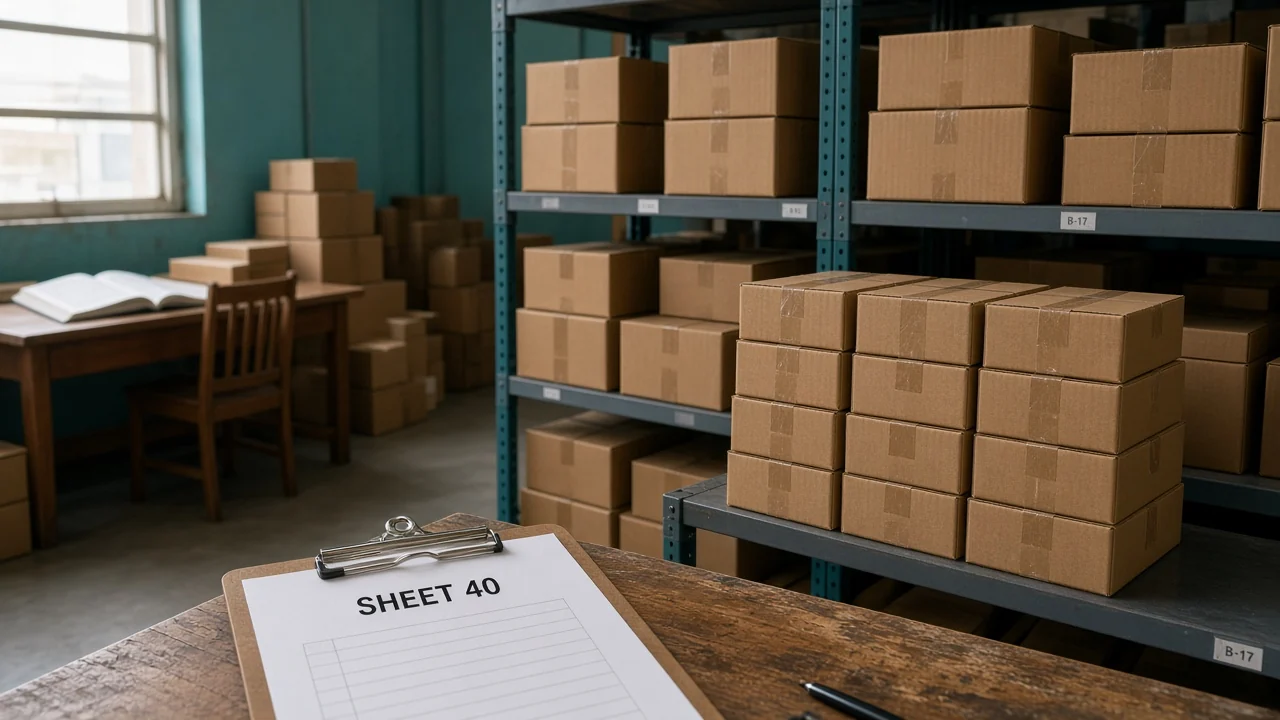
You have about 400 SKUs. The sheet says 40 on hand for one of them. The shelf does not. The books live in another login.
ERP vs inventory management software is a question about how much of the company should share one record, not about which logo looks larger.
Start from the pain you can point at this week.
What is ERP vs inventory management software?
Inventory software tracks stock, the purchases that raise it, and the orders that consume it. An ERP puts more of the company on those same records, including the books. If the pain is a wrong shelf, start with stock. If one order is typed three times, use the wider system.
IRS Publication 538 says that to figure taxable income you must value your inventory at the beginning and end of each tax year. The count and the books have to meet. They do not have to be born in one product on day one. They do have to describe the same goods.
The GAO inventory count guide is about keeping on-hand numbers fit to manage with, including cycle counts of a portion on a schedule. A bigger system does not fix a bin nobody counts. Buy the scope you need, then count.
What does each system own?
| Question | Inventory tool | Wider ERP record |
|---|---|---|
| How many can we sell | Yes, if available is on hand minus commitments | Yes, as one module |
| Where is the bin | Yes, when a warehouse layer is included | Only if that module is actually used |
| What did this customer pay last time | Sometimes a price list | Account price, order history, and the invoice |
| What is on the books | Usually an export | The ledger lives here |
| Who is on a rental contract | Rarely | When rental is part of the same system |
A name on a proposal is not this table. Ask which row you will stop doing in a spreadsheet. If the answer is "none, we will export," you are adding a login.
For this 400-SKU example, available on the problem item is on hand minus open orders. If 40 are on the sheet, 6 are promised, and the shelf count is 31, you have two errors: the sheet is not the shelf, and promised units may still be inside the 40. Fix the count before you debate software names.
When is the inventory system enough?
Picture one warehouse and an accountant who already closes the books. The pain is overselling, or pickers who cannot find a bin. A stock system that includes a warehouse view is the smaller change you should make first.
You keep the ledger. You stop promising 40 when 6 are spoken for and the shelf might be 31.
Inventory management is that stock record. Warehouse locations are how a picker finds the carton. You can need both without moving the general ledger on the same weekend.
Do not buy a second set of books because the inventory screen feels plain. Depth on bins, receipts, and cycle counts matters more than a module list you will not open.
If purchasing is the actual mess, add that next. Supplier orders should raise on-hand when the receipt is real, not when the PDF arrives. That is still inventory work.
When does the wider system earn its place?
The same customer order is entered three times, and the three totals do not match. Contract prices live in a rep's sheet while the website shows one price.
Rental units and parts you sell sit in different tools, so a machine in the shop still looks sellable. Those are scope problems. A stock-only screen will not close the books or hold the contract price.
OneChannelAdmin is built as that wider commerce record: stock, orders, warehouse, purchasing, and the ledger side in one place. Use it when you are ready to retire a retype, not as a trophy beside the sheet.
A practical test: pick ten orders from last week. If the ship confirmation, the invoice, and the inventory decrement disagree on more than a timing lag, the systems are not sharing a record. Timing lag means the invoice is a day behind. Disagreement means the invoice billed 10 and the shelf dropped 8.
Order fulfillment is often the first shared record, because every channel's order should hit one queue. Accounting can follow once that queue is trusted. Flipping the sequence leaves the books clean and the shelf wrong.
What mistake do buyers make?
They replace a working stock tool because a vendor called the replacement an ERP, then discover bin locations got worse. The old system knew aisle B. The new one has a quantity and a prayer. Scope without the warehouse detail is a downgrade with a larger name.
The other mistake is the opposite. They buy the wide system and keep the sheet "for a month." The month becomes the source of truth. Staff update the sheet because the new screens are slow to learn. You now pay for two records and trust the unofficial one.
Cut over one warehouse, one count, one set of open orders. Freeze the sheet on a Friday you choose. If someone must use the sheet on Monday, the cutover did not happen.
Write the open orders down before you migrate. A quantity of 6 promised has to exist in the new system or you will sell those units again. The 400 SKUs are the easy import. The promises are the part people forget.
How do you choose for one warehouse?
- Write the pain in one sentence. For this example: the sheet says 40 and the shelf is not 40.
- Count that SKU. Record on hand, promised, and the physical count. Do not buy software in the same hour.
- If the miss is bins and available quantity, shortlist an inventory and warehouse tool. Keep the current books.
- If the miss is the same order living in three places, shortlist a system that holds stock and the books.
- Migrate one warehouse. Bring open orders with the quantities still promised.
- Turn the old sheet read-only. If people keep editing it, you have not switched.

Revisit in 90 days, an example window, not a rule. If the books are now the bottleneck, widen the scope then. Widening on day one because a chart said you might grow is how projects stall.
What do you write down before anyone signs?
Pick the SKU that started the argument. In this example the sheet says 40, open orders have promised 6, and a physical count finds 31 on the shelf.
Available, if you trust the count, is 31 minus any of those 6 that are still sitting in the 31. If the 6 already left, available is 31. Write which of those is true before a demo starts.
A vendor cannot answer a count you have not done.
List the places that same order is typed today. Store checkout, a warehouse sheet, and the invoice file are three in this example.
If two of them are the same database with two screens, that is one system, not three. Do not count logins. Count records.
Ask the accountant which total they need each month: ending inventory value, receipts, and what shipped. A stock tool can export those. An ERP holds them. The choice is whether the export is still acceptable after the count is trustworthy.
Time-box the decision. Two weeks of demos on a 400-SKU warehouse is enough to see a bin and an invoice. A three-month bake-off with no count in week one is how the sheet survives.
Bring the open-order list to the demo and ask the vendor to show one promised quantity of 6 surviving the import. If they can only show a clean item master, they have not shown you the cutover.
Questions about scope
Does every ERP include a serious warehouse?
Some include a quantity and call it inventory. Ask to see a bin, a receipt, and a cycle count on your own SKU. If the demo cannot show aisle-level stock, the warehouse work is still ahead of you.
Can you keep the accountant's file?
Yes, when the pain is the shelf. Export the numbers they need. Move the ledger when you are tired of retyping orders, not because the export feels old-fashioned.
What do you migrate besides the 400 SKUs?
Open orders and the quantities already promised. A clean item list with no commitments will oversell in the first week. The physical count has to be the on-hand you load.
Is 400 SKUs too small for a wider system?
Size is not the trigger. Three copies of one order is the trigger. A single warehouse with a trusted accountant can stay on an inventory tool at 400 SKUs or at 4,000.
Should the sheet stay as a backup?
Make it read-only after cutover. A sheet people still edit becomes the record everyone believes, and the system you pay for goes stale.
OneChannelAdmin Team writes about stock, orders, and when those records should share a ledger.
Run inventory, orders, and marketplaces in one place
See how OneChannelAdmin connects catalog, warehouse, and multichannel selling without spreadsheet chaos.