
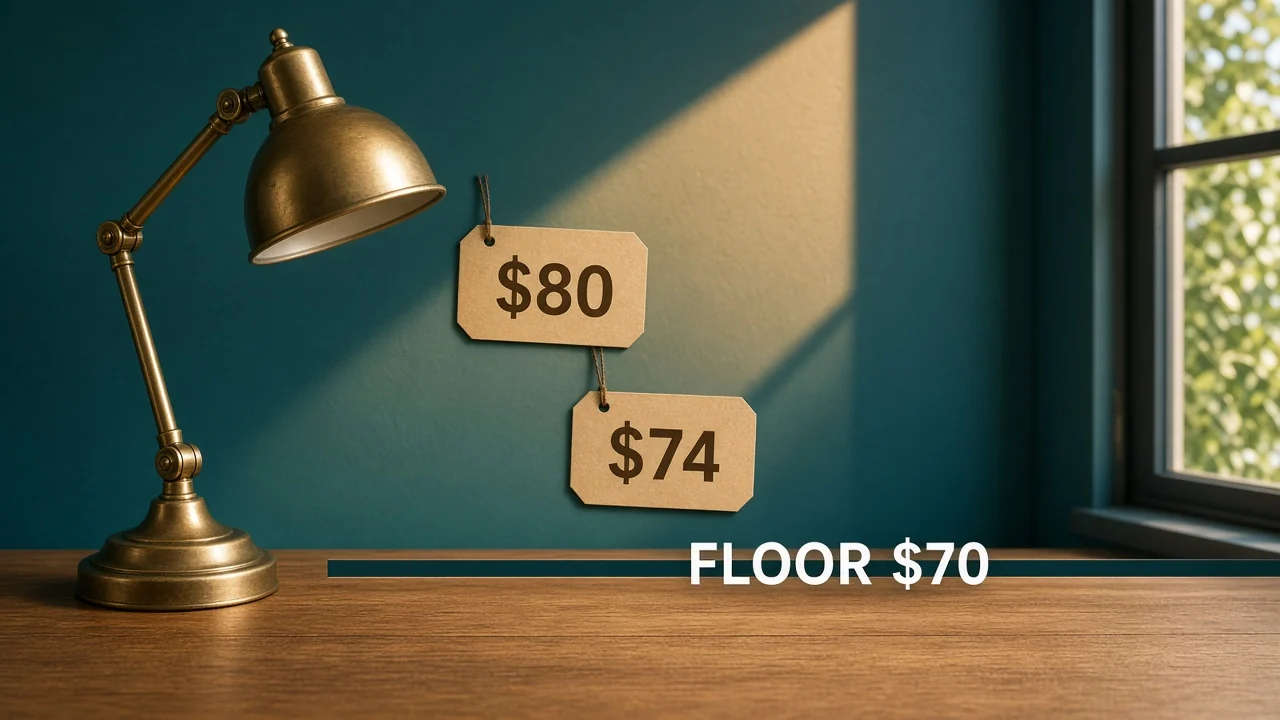
The lamp was $80 at noon. An hour later a rival showed $62 and your price followed. Dynamic pricing ecommerce is the permission to move. It is also the rule that says $62 is outside the move you allowed.
A price that changes is not, by itself, a smart price. It is a price that changed.
What is dynamic pricing ecommerce?
It is a price that updates only when a condition you wrote is true, and only inside a minimum and an optional maximum. Amazon's Automate Pricing page says you set those limits and the tool then adjusts. The adjustment is the moving part. The band is the strategy.
The FTC's guide on manufacturer-imposed requirements is not a pricing manual. It does say vertical price programs get a rule-of-reason look.
A manufacturer also has leeway in the terms of advertising it pays for. A rule on your own offers is not an agreement with a rival about what you both will charge. Do not build that agreement. This is not legal advice.
Which facts are allowed to move the price?
LAMP-14 in this example starts at $80, with a minimum of $70 and a maximum of $84. On-hand is 40.
| Condition | Move | Result |
|---|---|---|
| Featured Offer is $74, inside the band | Match it | $74 |
| Featured Offer is $62, under the floor | Do not match | Stay at $70 if you were willing to go that low, otherwise stay where you are above $70 |
| On-hand drops below 5, and your rule adds $4 | Add $4, then stop at $84 | From $74 that is $78 |
| A rival you had coffee with asks you to hold $80 | No move from that conversation | Ignore it |
Forty units do not trigger the stock rule. Four units do.
The stock count lives in inventory management. The price rule only reads the threshold you named. It does not invent a new floor because the shelf looks full.
What does one afternoon look like?
Noon: you are at $80, the Featured Offer is $74, and on-hand is 40. The match rule fires and you go to $74.
You are $4 over the $70 floor and $10 under the $84 ceiling. Anyone on the team should be able to write that sentence.
One o'clock: the Featured Offer is $62. The match rule wants to follow. The floor blocks it, so you do not become $62.
If your current price is $74, you can stay at $74. You do not need to drop to $70 just because someone else left the band. $70 is the lowest you may show, not a destination.
Later, on-hand is 4. Your stock rule adds $4, so $74 becomes $78. That is still under $84 and still over $70.
If you were already at $82, adding $4 would want $86, and the ceiling would hold you at $84. Write that stop down, or the add will walk through the maximum.
I would rather explain $74 than explain $62. The $62 story is about a tool that was not given a floor. $74 is a price inside a band you can point to.
How is this different from always taking the lowest price?
Always taking the lowest price is one condition with no floor. Dynamic pricing ecommerce, as this example uses it, is several conditions that can lose to the floor. The lowest price is an input. It is not the boss.
Amazon's Automate Pricing guide says prices change in response to events such as a Featured Offer change, and that you set minimums first. An event is not an order. You still decide what the event is allowed to do.
A sale you planned, "$6 off for two days," is also a rule. Put the end time on it. An open-ended discount is how Tuesday's promotion is still the price in June, under the floor you thought you still had.
Repricing in OneChannelAdmin is where those conditions can sit together. The offer Amazon shows is the Amazon integration. An advertised floor you also police on other sellers is MAP monitoring.
What do you write down before you turn it on?
The minimum, the maximum, the events that may move you, and the amount of each move. For this lamp: $70, $84, match the Featured Offer inside the band, add $4 under 5 units, never add a move because a person asked.
If you cannot fit that on a card, you have too many conditions. Cut until the afternoon above is obvious. Then turn it on for one SKU.
What if Shopify is still at $80?
Amazon at $74 and the store at $80 can both be right, if you meant the store to move on a slower rule. Copying Amazon's price onto the store without looking is how a $62 match, the one the floor was supposed to block, shows up in a second place.
Both pages advertise a number. If the floor is $70, both pages stay at or above $70. A storefront "sale" tag that displays $62 under a crossed-out $80 is the advertised price, even when checkout somehow differs. Count the number the shopper sees first.
Write the store's events on the same card. "Match Amazon" is not an event until you say it only copies prices inside the band. Otherwise the store inherits every mistake the Featured Offer makes.
Put the end of a promotion on that card too. "$6 off until Friday" has a Friday. On Saturday the price returns to whatever the other rules say, still inside $70 and $84. If Saturday is still $6 off, the end date was never in the rule, only in a meeting.
A fee change does not move the advertised floor by itself. If your stand-in fee was $12 and the real fee is different, redo the cost floor. Leave $70 alone until the policy changes. Mixing "we need more margin" into the MAP number is how the floor quietly becomes $74 for some SKUs and $70 for others.
One SKU for one day is the proof. If you cannot narrate noon, the later rival price, and the stock add without opening the tool, the card is not done.
Say what happens when the feed fails. The last price stays. It does not fall to $62 because the rule missed a heartbeat. A missed update is a stale $74, which is inside the band, not a reason to guess.
If two channels disagree and you cannot say which rule won, turn the copy-from-Amazon line off until the card names the band again. Silence in the tool is not a decision.
How do you run the price for one day?
- Set LAMP-14's minimum at $70 and maximum at $84. Start at $80 in this example.
- Name two events only: Featured Offer inside the band, and on-hand under 5.
- When the Featured Offer is $74, allow the move to $74. Read the live price.
- When the Featured Offer is $62, confirm you did not follow it.
- When on-hand is 4, add $4 and stop at $84 if the add would pass it.
- At the end of the day, write the prices you actually showed next to the events. Throw out any move you cannot explain in one line.
Stop on step 4 if the page says $62. The event fired. The floor did not.

Questions about prices that move
Is dynamic pricing just matching the cheapest offer?
No. Matching is one event. The floor and the ceiling decide whether that event counts. A $62 offer outside a $70 floor does not count.
Should low stock raise the price?
Only if you wrote that rule. In the example, under 5 units adds $4, and $84 still wins if the add would pass it. A full shelf of 40 does not get the add.
Can you agree the price with another seller?
Do not. Your rule runs on your offers. A conversation that sets what you both charge is not a pricing condition. Read the FTC guide before you treat rivals as an input.
What expires?
Any discount you turned on. Put a date on it. An undated "$6 off" becomes the new regular price and can sit under the floor.
Are these dollars a standard?
No. $70, $74, $62, $4, and 5 units are an example so the stops are visible. Use your floor and your on-hand threshold.
OneChannelAdmin Team writes about price bands, the events that may move a price, and the moves a floor should block.
Looking for the product? See Pricing & AI Repricing Engine.
Run inventory, orders, and marketplaces in one place
See how OneChannelAdmin connects catalog, warehouse, and multichannel selling without spreadsheet chaos.