



A Warehouse Management System for Small Business Floors
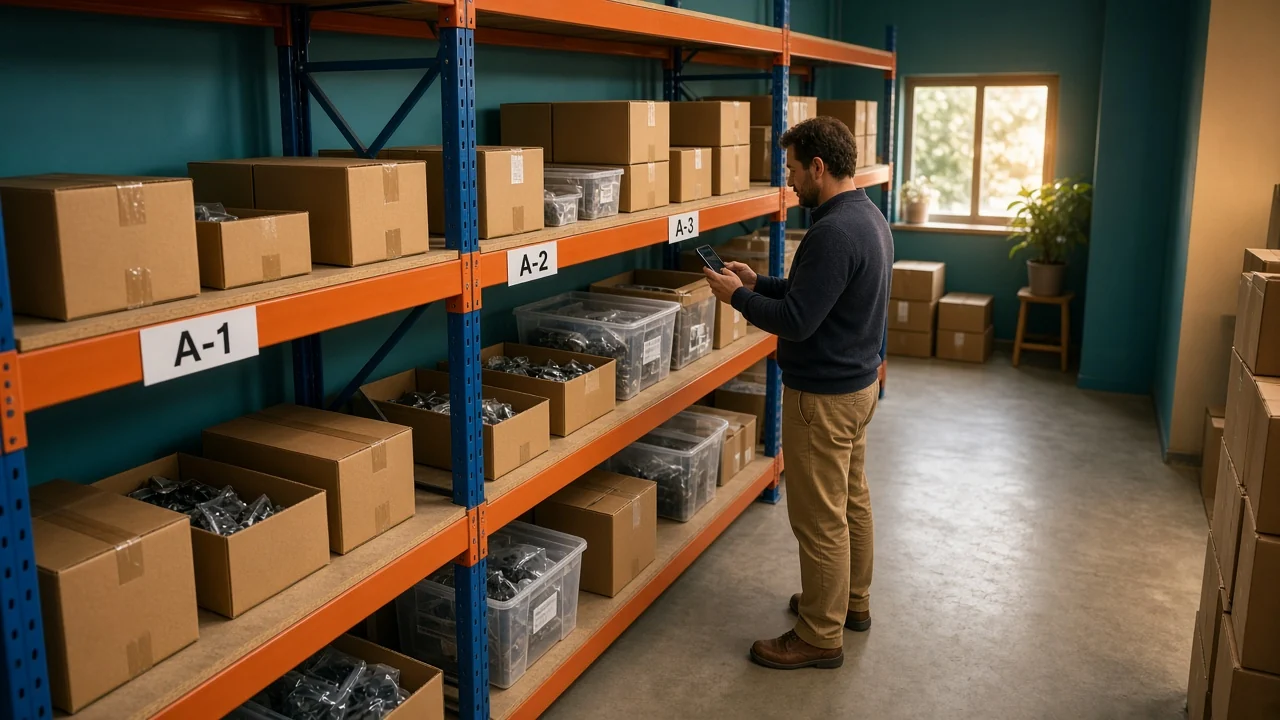
Two people walked to bin A-12 for the last lamp. The spreadsheet on the office PC still said 2. Both picked, and one order shipped without a unit in the box.
A warehouse management system for small business is the point where the floor, not the office file, is where stock changes. Receive it, put it in a named bin, pick it, and the quantity moves when the scan happens.
What is a warehouse management system for small business?
It records receiving, a named bin, a pick, a pack, and a count. An inventory list that only knows "12 in the warehouse" still makes you walk the aisle. A WMS names the shelf and takes the unit off that shelf when someone picks it.
Small does not mean a lighter version of a distribution center. One room, a few hundred SKUs, and two pickers can need bins and scans. They do not need wave planning, zone labor standards, or a six-month install before the first receipt.
When is a spreadsheet still enough?
One person receives, picks, and ships, and they can see the whole room. A sheet plus bin labels can survive that. The quantity and the location live in one head, and the sheet is a backup.
The sheet breaks on a specific morning, not at a magic SKU count. Two people can sell or pick the same unit. A receipt sits on a pallet overnight because nobody has a bin for it. Someone asks where L-14 is and the answer is "somewhere on the left." Any one of those is the switch.
I'd stay on the sheet while a single person can still find and ship every order the same day. The week a second picker starts, the sheet in the office is already late.
What should the system actually do?
Skip the feature list on a vendor homepage. These are the jobs that stop the double pick.
Job
What good looks like on day one
What you can postpone
Receive
Scan the PO, count the carton, put the units into a bin before they are sellable
A custom quality workflow for every supplier
Locate
Every sellable unit has a bin, and the bin is on the pick
A slotting project for the whole building
Pick
The pick names the bin, and the scan drops the quantity
Wave picks, batch picks, and pick-path math
Ship
The order cannot close if the pick was short
Rate shopping across six carriers
Count
You can count one bin without freezing the building
A full wall-to-wall count every month
A federal inventory guide describes cycle counting as counting a portion on a repeating schedule until the whole stock has been counted, and wall-to-wall counting as counting everything at one moment. A small system should do the first. You should not need a shutdown to trust one aisle.
The Federal Prison Industries inventory statement defines an accuracy rate as correct item counts divided by total item counts, and it sets a goal of 95 percent or better for that agency. You do not have to adopt their goal. You do need the system to show the same ratio after a count, or the software is only a prettier sheet.
How do bins and scans change the day?
Name the places before you buy hardware. Aisle A, bay 12, shelf 2 can be bin A-12-2. Put that code on a label a phone can scan.
The SKU label and the bin label are different stickers. Scanning the product tells you what it is. Scanning the bin tells you where it went.
On receipt, L-14 does not become sellable from the office keyboard. It becomes sellable when 12 units are scanned into A-12-2.
A picker who needs 1 sees that bin on the order. The scan takes the 1 off A-12-2, so the next picker sees 11, or sees zero and does not walk over for a unit already in a box.
If you also sell that lamp online, publish what the pick can still take, not what a morning sheet said. Warehouse management in OneChannelAdmin is built for that floor sequence, including the bin and the scan.
Available units for each channel sit in inventory management. The order the pick is filling is order fulfillment. Packing and shipping that order is OneFulfillCenter.
When should you skip a large WMS project?
Your week looks like this
Use this
One person, one room, orders shipped the same day
Bin labels and a sheet, reviewed at close
A second person picks, or you cannot point to the shelf
A small WMS: receive, bin, pick, ship, count one aisle
Several buildings, or the same SKU on a marketplace and in the room
The same system has to know each building's quantity, not one company total
You want labor standards, automation, and slotting before the first bin exists
Wait. Those projects hide a missing bin label
A big implementation that goes live with no bins is a second spreadsheet with a login. Turn on receiving and picking first. Add counts once the scans match the shelf for a week.
Where do returns and cart stock belong?
Returns are not sellable just because they came through the door. Park a return in a hold bin until someone checks the unit. Receive it straight into A-12-2 and the site can sell a scuffed lamp the same afternoon.
Units on a pick cart have left the bin. The order owns them. A count of A-12 that ignores the cart will show a hole, and an adjustment will delete stock you are about to ship. Scan the pick when the unit leaves the shelf, not when the truck leaves the yard.
Limit who can post that adjustment. The person who picked the short order should not be the only one who can zero the bin. A second login, even if it is the owner at the bench, keeps a bad count from becoming the new book quantity before anyone looks. Write the reason in that same step, or next month you will not know if the hole was damage or a missed scan.
How do you test a WMS on one aisle?
Label one aisle. Give every sellable SKU on it a bin. Leave the rest of the room alone.
Receive one PO into those bins by scan. Do not key the quantity in the office afterward.
Pick one real order from the bin the screen names. Confirm the on-hand drops by the picked quantity only.
Have a second person try to pick the same unit. They should see the new quantity, not this morning's number.
Count that bin at the end of the day. If the count and the screen disagree, fix the scan you skipped before you add another aisle.
Publish or sell from that quantity only after step 5 matches.
Stop at the first miss. A catalog of locations copied from a messy sheet will put the next receipt in a bin that does not exist.
Questions about a small business WMS
What does a small warehouse system need to do?
Software for receiving, bin locations, picking, shipping, and counts. It tells you which shelf holds the unit and reduces that shelf when the unit is picked. A list of SKUs with a single on-hand number is not that system.
When should a small warehouse leave spreadsheets?
When one person can no longer find and ship every order the same day, or when two people can pick the same unit. A single operator who can see the whole room can stay on a sheet and bin labels a while longer.
Do you need barcode scanners on day one?
You need a way to confirm the SKU and the bin at receipt and at pick. A phone camera is enough to prove the aisle. Dedicated scanners can wait until the volume makes the phone the slow part.
What should you refuse to configure at the start?
Wave picking, labor standards, and a slotting project. Get one aisle receiving and picking accurately first. Extra modules on top of unnamed shelves do not fix a double pick.
How do you know the WMS is working?
Pick one order, watch the bin quantity drop by that amount, and have a second person see the new number. Then count the bin. If those three agree, add the next aisle. If they do not, stop and fix the scan.
OneChannelAdmin Team writes about small warehouses, bin quantities, and the picks that have to match the shelf.
Scale Your Multi-Channel Commerce Operations with 1CA
Discover how OneChannelAdmin unifies inventory management, WMS warehouse operations, order fulfillment, and automated marketplace repricing.