
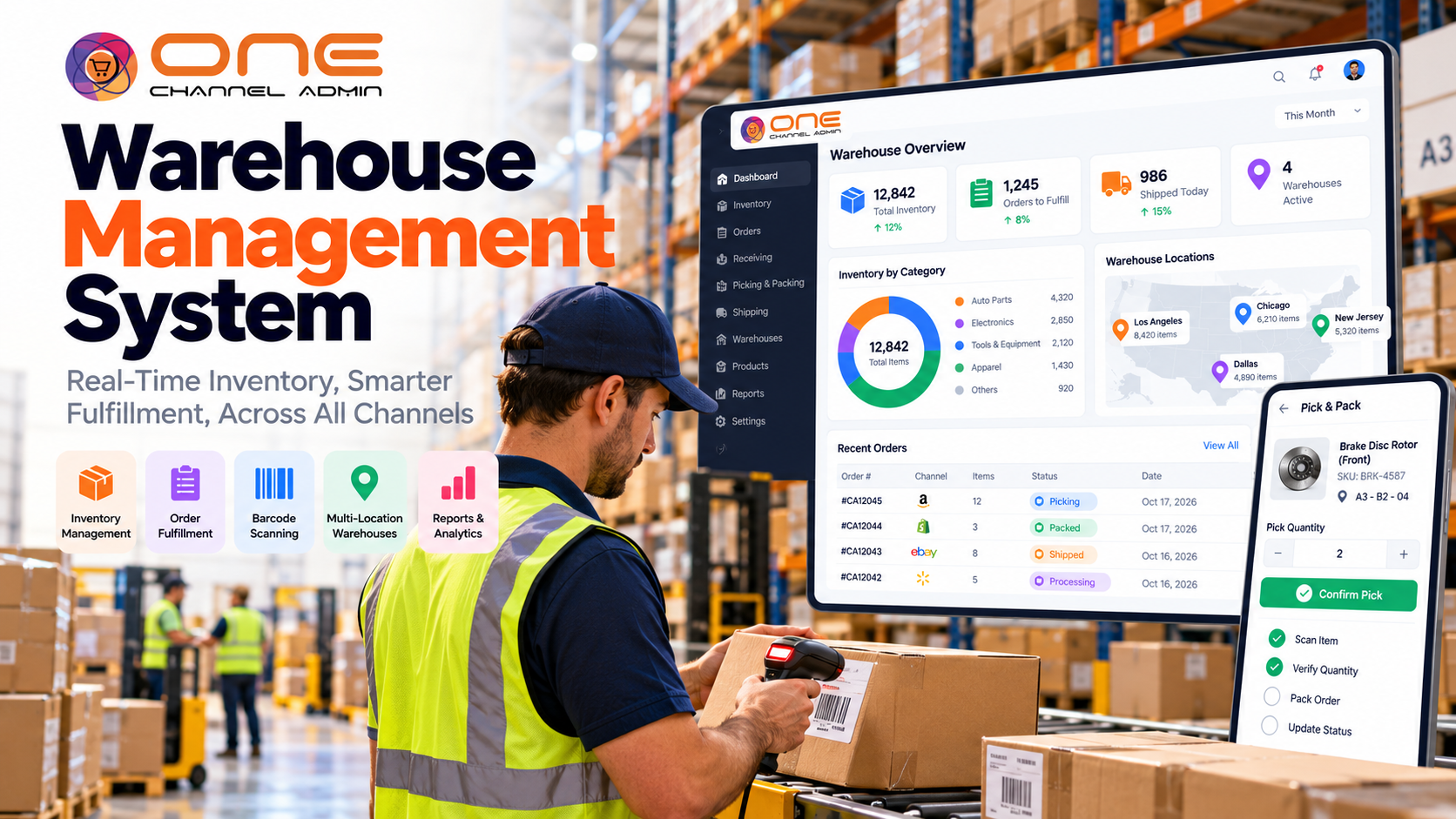
When orders start shipping late, pickers walk the same aisles three times, and nobody trusts the stock count, the warehouse has outgrown spreadsheets and memory. A warehouse management system (WMS) is the software that fixes this by directing every movement of stock, from the moment goods arrive to the moment an order leaves the dock.
This guide explains what warehouse management software does, the core features and types, how it differs from inventory software and ERP, how to calculate the payback, and a checklist for choosing the right WMS for your operation.
What is a warehouse management system?
A warehouse management system (WMS) is software that controls and records every physical movement of inventory inside a warehouse: receiving, putaway, storage, picking, packing, shipping and counting. It tracks stock by exact location, directs staff with tasks on scanners or mobile devices, and keeps inventory records accurate in real time.
The terms warehouse management system and warehouse management software mean the same thing. You will also see "WMS software," "warehouse software" or "cloud WMS." What makes it a WMS, rather than a stock list, is location-level control: the system knows that 40 units of SKU A-112 are in aisle 4, bay 2, shelf C, and it decides which of those units a picker should take next.
How a WMS works, step by step
A WMS follows goods through six stages. Each scan updates the record, so the office, the sales channels and the warehouse floor all see the same numbers.
- Receiving: staff scan inbound goods against the purchase order or advance shipping notice, and the WMS flags shortages, overages and damage.
- Putaway: the system suggests the best bin for each item based on size, velocity and available space.
- Storage and replenishment: stock is tracked by bin; pick faces are refilled from overstock before they run empty.
- Picking: orders are released as tasks, grouped into efficient pick paths by single order, batch, zone or wave.
- Packing and shipping: items are verified by scan, packed, labelled, and handed to the carrier with tracking sent back to the sales channel.
- Counting and reporting: cycle counts replace full shutdowns, and dashboards show accuracy, throughput and order cycle time.
Core features of warehouse management software
Most warehouse management software covers the same core functions. The difference between products is depth, ease of use and how well each feature fits your order profile.
| Feature | What it does | Who needs it |
|---|---|---|
| Bin and location management | Tracks stock by zone, aisle, bay and shelf | Everyone |
| Barcode and mobile scanning | Confirms every receive, move, pick and pack | Everyone |
| Receiving and putaway rules | Checks goods against POs; directs storage | Everyone |
| Pick strategies | Single, batch, zone and wave picking; optimized paths | Growing order volume |
| Packing and shipping | Pack verification, labels, carrier rates and tracking | Ecommerce and DTC |
| Multi-location inventory | One view of stock across warehouses and stores | 2+ sites |
| Lot, serial and expiry tracking | Traceability and first-expired, first-out picking | Food, medical, regulated goods |
| RFID | Contactless counts and asset tracking | High-value or high-volume items, rentals |
| Channel and OMS integration | Pushes stock levels and tracking to every sales channel | Multichannel sellers |
| Reporting | Accuracy, productivity, order cycle time | Everyone |
Types of WMS
Warehouse management systems come in four broad types:
- Standalone WMS: deep warehouse functions, connected to other systems by integrations. Common in large distribution centers.
- ERP-integrated or ERP-native WMS: the WMS is a module of the same platform as inventory, orders, purchasing and accounting, so data never needs syncing.
- Cloud WMS: hosted by the vendor, updated automatically, accessible from any site. Most new deployments are cloud-based.
- Ecommerce or channel-focused WMS: built around fast, small-parcel order fulfillment for online and marketplace orders.
Many modern platforms combine the last three: a cloud, ERP-native WMS built for ecommerce. That is the model OneChannelAdmin's warehouse management system follows.
WMS vs inventory management vs ERP
Inventory management software tracks how much stock you have and when to reorder; a WMS controls where stock is and how it moves inside the building; an ERP runs the wider business, including finance, purchasing and orders. Growing businesses usually need all three working from one record.
| Question | Inventory management | WMS | ERP |
|---|---|---|---|
| How many units do we have? | Yes | Yes | Yes (summary) |
| Which exact bin are they in? | Rarely | Yes | Only with a WMS module |
| What should the picker do next? | No | Yes | Only with a WMS module |
| When should we reorder? | Yes | Sometimes | Yes |
| What did this order cost and earn? | No | No | Yes |
If you are still deciding whether you need location-level control, see how inventory management and the WMS share one record in 1CA.
Benefits of a warehouse management system
- Higher inventory accuracy: scan-confirmed moves keep the system count and the shelf in agreement.
- Fewer picking errors: scan verification catches the wrong item or quantity before it ships.
- Faster order cycle times: optimized pick paths and batch picking cut walking time.
- Better use of space: putaway rules place fast movers near packing and use empty bins.
- Faster training: new staff follow on-screen tasks instead of memorizing the building.
- No overselling: accurate stock flows to every channel, so you don't sell what you don't have.
WMS ROI: a worked example
The fastest way to judge a WMS is to price the errors and wasted time it removes. The numbers below are illustrative, not a benchmark; replace them with your own.
| Input or result | Example value |
|---|---|
| Orders shipped per month | 6,600 (300 a day, 22 days) |
| Mis-pick rate before WMS | 1.5% (99 orders) |
| Mis-pick rate after scan verification | 0.3% (20 orders) |
| Cost per mis-pick (reship, return, support) | $25 |
| Error savings per month | $1,975 |
| Picker hours saved per month (shorter paths) | 80 hours at $20 = $1,600 |
| Total monthly savings | $3,575 |
Why a connected WMS matters for multichannel sellers
For businesses selling on a website, marketplaces, B2B and retail at the same time, the biggest WMS risk is disconnection. If the warehouse system syncs stock to channels in batches, a product can sell out on Amazon while your Shopify store keeps taking orders.
OneChannelAdmin (1CA) is a Commerce ERP and WMS built for this case. Its WMS handles inbound and outbound operations, tracks inventory in real time across locations, and automates fulfillment. Because the WMS sits on the same platform as order and fulfillment management, multichannel listings for Amazon, eBay, Walmart, Shopify and other channels, RFID inventory tracking and shipping automation, there is no sync gap between a sale and the shelf.
| Question | Standalone WMS | WMS inside a commerce ERP (e.g. 1CA) |
|---|---|---|
| How do channel orders arrive? | Through an OMS or connector | Natively, from every connected channel |
| How fast do stock levels update on channels? | Depends on sync schedule | From one live inventory record |
| Purchasing and receiving | Separate system | Purchase orders and suppliers on the same platform |
| Returns | Often manual | Built-in returns and RMA with restocking |
| Best fit | Large single-channel distribution centers | Multichannel, B2B + DTC, multi-location businesses |
How to choose a WMS: 8-step checklist
- Profile your orders. Lines per order, units per line, daily volume and peak season set your pick strategy needs.
- Count your locations and channels. Multiple warehouses or sales channels need live multi-location stock.
- List compliance needs. Lot, serial and expiry tracking are must-haves in regulated categories.
- Map integrations. Sales channels, OMS, carriers, accounting and ERP. Ask which are native and which need connectors.
- Test on the floor. Run real receiving and picking on the vendor's mobile app with your own staff.
- Check scalability. Can you add a site, a channel or a 3PL client without re-implementing?
- Calculate total cost. Subscription, devices and scanners, implementation, training and integrations.
- Plan the go-live. Clean bin labels and item data first, and avoid launching right before peak season.
Frequently asked questions
What is the difference between a warehouse management system and warehouse management software?
There is no real difference. Both terms describe software that controls receiving, putaway, storage, picking, packing and shipping inside a warehouse. "System" is more common in enterprise and logistics contexts; "software" is more common when people compare products.
Do small businesses need a WMS?
A small business needs a WMS when stock lives in more than a few locations, order volume makes mis-picks costly, or several sales channels draw from the same inventory. Many cloud WMS options scale down to small teams, so the deciding factor is complexity rather than size.
What is a cloud WMS?
A cloud WMS is hosted by the vendor and accessed through a browser and mobile app. It needs no local servers, updates automatically and makes it easy to connect multiple sites, which is why most new WMS deployments are cloud-based.
Can a WMS integrate with Amazon, Shopify and other channels?
Yes, either through connectors or natively when the WMS is part of a commerce platform. A native connection, as in OneChannelAdmin, means orders arrive and stock levels update from one inventory record instead of a scheduled sync.
How long does WMS implementation take?
Small, single-site operations on a cloud WMS can often go live in weeks. Multi-site deployments with automation, custom workflows and many integrations take longer. Clean product data and bin labels are the biggest factors in a fast rollout.
Choosing your warehouse management system
The right warehouse management system turns the warehouse from a source of errors into a reliable, fast fulfillment engine. Start with your order profile and channels, test the mobile workflow with your own team, and favor a WMS that shares one live inventory record with your orders and sales channels.
Sources and methodology
This guide is based on standard warehouse operations practice and OneChannelAdmin product documentation, reviewed in October 2026. ROI figures are an illustrative worked example, not a benchmark.
- OneChannelAdmin, Warehouse Management (WMS).
- OneChannelAdmin, AI-Powered ERP and WMS Software platform overview.
Run inventory, orders, and marketplaces in one place
See how OneChannelAdmin connects catalog, warehouse, and multichannel selling without spreadsheet chaos.