
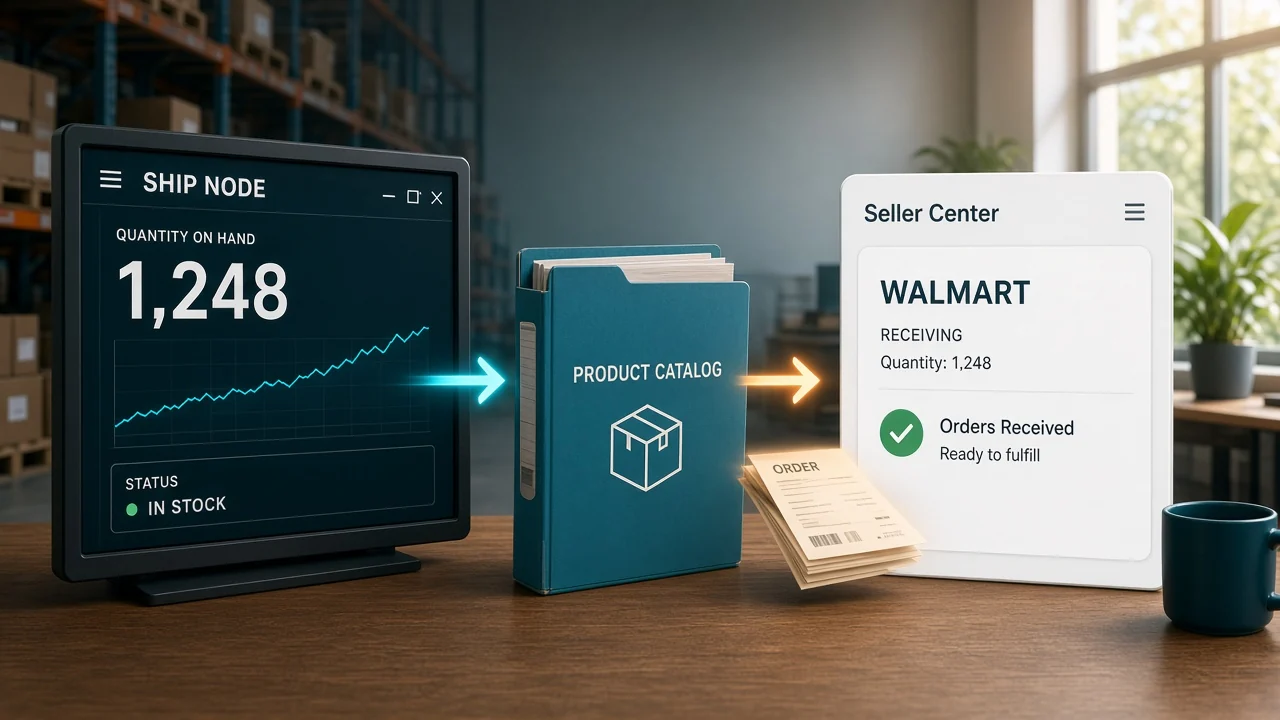
Seller Center showed 40 of SKU WM-220 at the East warehouse. Your count said 28, because three orders from that morning were still in a spreadsheet. A Walmart Marketplace integration is what closes that gap before Walmart sells the units again.
What is a Walmart Marketplace integration?
It connects your catalog, the quantity at each warehouse, and Walmart orders to one record. You still approve what that connection is allowed to change. A sale at one warehouse has to lower that warehouse's quantity before the next buyer checks out.
Walmart's get started guide is written for API users, and it says you do not need APIs to become a seller. Seller Center onboarding is enough if a person can keep the listings honest. The integration matters when the same SKU also sells somewhere else and nobody is retyping the count the same hour.
Do you need an API to sell on Walmart?
No. Approval to sell comes first. The API is how software talks to Seller Center after that.
Walmart describes two paths in that same guide. Direct API integration uses your own Client ID and Client Secret from the Developer Portal. The other path is an approved solution provider, connected from the Seller Center app list with the Connect button.
I'd stay in Seller Center alone only while one person can update every sale the same day. The hour you also sell that SKU on Amazon or Shopify, the spreadsheet version breaks.
How do you connect Walmart Seller Center?
Use the provider's Connect button. Walmart's get started guide says the older delegated-key method is no longer supported, and new provider connections are expected to use OAuth.
In Seller Center, open Apps, pick the provider, and choose Connect. Sign in on their site, read the permissions, and authorize only if the list matches the job. Decline if it asks for areas you do not want touched.
Do not email your Client ID or Client Secret. Walmart says to use the provider's own connect flow, not a side channel.
Your own app, talking only to your own seller account, uses the client-credentials path. Walmart's token guide says that path returns an access token and no refresh token. A provider you authorize gets both.
The access token lasts 15 minutes. The refresh token lasts a year. A feed that cannot get a new token will look connected and then go quiet.
What should sync after you connect?
Four feeds matter more than a logo on an app listing. Items, quantity, orders, and price. Tracking on the way back is part of the order feed, not a nice extra.
| Feed | What "working" looks like |
|---|---|
| Items | The Walmart SKU matches your master SKU, and the category Walmart requires is filled |
| Quantity | Each warehouse (Walmart calls it a ship node) shows the units that building can still ship |
| Orders | A Walmart order lands in your queue and those units are reserved before you pack |
| Price | The offer price is a separate update from the quantity. A stock feed should not rewrite it by accident |
Walmart's integration docs group the same work as catalog, inventory, orders, pricing, and Walmart Fulfillment Services. WFS is a different building. Units sitting in a Walmart fulfillment center are not the East warehouse count.
How do you send the right quantity to Walmart?
Ship node means the warehouse that will ship the unit. Walmart's Inventory API overview says you update quantity by SKU and ship node, and it documents lag time as the delay before a change shows as available for sale.
The counts below are an example.
| Location | Available units of WM-220 |
|---|---|
| East ship node | 80 |
| West ship node | 12 |
A Walmart order for 3 imports against East. East becomes 77. Push 77 to East and leave West at 12. Send 77 to both nodes and Walmart can take an East-sized order from a building that only has 12.
Send 80 again after that order and you have put the 3 units back up for sale. Lag time is why a buffer belongs on a fast SKU. If East can sell 8 units in the gap before Walmart shows the new number, list 72 until the push is confirmed, not 80. That 8 is an example rate, not a default.
How does Walmart Fulfillment Services fit?
WFS means Walmart stores the unit and ships it. That stock is a ship node you do not walk. East's count and the WFS count are two pools, and mixing them sells a unit that already left your building.
Keep East's 77 on the East node only. The WFS node shows what Walmart is holding, which comes from their fulfillment inventory, not from your shelf. Fold those WFS units into the East number and Walmart will accept orders your floor cannot pack.
An order Walmart fulfills should not also become a pick ticket in your building. One WFS test order should leave the East quantity alone and create no local shipment.
Walmart integration in OneChannelAdmin takes the order and pushes the ship-node quantity from the SKU you already sell on other sites. The quantity itself is Walmart inventory management. The order landing in one queue is Walmart order management. The category and item specifics Walmart rejects on are Walmart listing management.

When should you skip a custom API?
| Your week looks like this | Connect this way |
|---|---|
| A short catalog, and one person updates Seller Center the day each unit sells | Seller Center alone. Walmart does not require an API for that |
| The same SKUs already sell on another marketplace | An approved provider, authorized with Connect, scoped to items, inventory, and orders |
| Engineers on staff, and the only account is yours | Your own Client ID and Client Secret, with a new access token every 15 minutes |
| Two apps both want Walmart access | Authorize each one. Don't hand either app the other app's secret |
A provider key that was never granted item or order access will sit there and change nothing. Walmart's token guide says to scope only the permissions you need, then add more later. Check the authorize screen before you blame the SKU.
How do you test a Walmart connection before go-live?
Use one SKU. The rest of the catalog can wait until this passes.
- Confirm the Walmart seller account is approved. An integration does not replace that.
- Confirm WM-220 on Walmart is the same master SKU, not a near miss.
- Write down East and West quantities before the test.
- Buy one unit that must ship from East. East should drop by one. West should stay put.
- Confirm the order is in your queue and reserved before anyone prints a label.
- Ship it and confirm tracking posts back to Walmart.
- If the token path is yours, confirm a call still works after 15 minutes, when the access token has expired.
Stop on the first miss. A catalog push after a failed one-unit test publishes the same miss hundreds of times.

Questions about a Walmart connection
Do you need an API to sell on Walmart Marketplace?
No. Walmart's get started guide says you do not need APIs to become a seller. Complete Seller Center onboarding and get approved. Add an integration when the same items sell in more than one place and a person cannot update the quantity the same day.
How do you connect a solution provider to Walmart?
In Seller Center, open Apps, choose the provider, and select Connect. Review the permissions and authorize. Walmart says not to email your Client ID or Client Secret. The older delegated-key method is no longer the path for new provider connections.
How long does a Walmart access token last?
Fifteen minutes. Walmart's token guide lists the access token at 15 minutes and the refresh token at one year. A connection that uses only your Client ID and Client Secret does not get a refresh token. It has to request a new access token when the 15 minutes are up.
What is a Walmart ship node?
A ship node is the warehouse or fulfillment center that ships the SKU. Quantity is stored per SKU and per node. A total for the company, copied onto every node, lets Walmart sell units from a building that does not have them.
What should you test first after connecting Walmart?
One order on one SKU at one ship node. The node that ships it should drop by one, the other nodes should not, and tracking should return to Walmart after you ship. If that fails, don't publish the catalog.
Written by the OneChannelAdmin Team. We spend our weeks on seller catalogs, ship-node quantities, and the orders that have to match them.
Run inventory, orders, and marketplaces in one place
See how OneChannelAdmin connects catalog, warehouse, and multichannel selling without spreadsheet chaos.